It’s important to keep your telegram contacts private and organized. This full guide will show you all the ways to remove a telegram contact, whether you want to do it for privacy reasons, to clean up your contact list, or just because you don’t talk to them anymore. You can keep your telegram account organized and safe by learning how to delete telegram contacts the right way. This will give you more control over your messaging experience.
What Happens When You Delete a Telegram Contact?
You can still get messages from someone even if you delete them from your telegram contacts. This doesn’t stop the person from messaging you or block them; it just takes them off your organized contact list in the telegram app. The contact you deleted won’t be in your contacts anymore, but you can still see your conversation history.
If you delete a contact from Telegram, it won’t change the list of contacts on your phone. If you synced the contact from your phone to Telegram, they will stay in your phone’s contact app. This separation means that you can now manage your telegram account separately from the contact management system on your phone.
If you need to, you can always add the contact back. But to add them back to your Telegram contacts, you’ll need their phone number or username. You can easily manage your contacts on Telegram because of this flexibility. You can also try out different ways to organize them without worrying about what will happen.
Deleting Individual Contacts on Telegram
For Android Users:
- Open the Telegram app on your device.
- Tap the hamburger menu (three lines) in the top-left corner.
- Select Contacts to view your list.
- Locate and long-press the contact you want to delete.
- Tap the trash bin icon at the top to delete the contact.
- Confirm the deletion when prompted.
For iOS Users:
- Open the Telegram app and go to Contacts.
- Find the contact you want to remove and tap on their name to open the profile.
- Tap on Edit at the top right.
- Scroll down and select Delete Contact.
- Confirm the deletion to remove the contact from your list.
For Desktop Users:
- Launch Telegram Desktop and go to Contacts from the main menu.
- Select the contact to open the chat window.
- Click on the contact’s name at the top of the chat.
- In the profile, click the three-dot menu and choose Delete Contact.
- Confirm the deletion to remove them from your contact list.
Deleting Multiple or All Contacts on Telegram
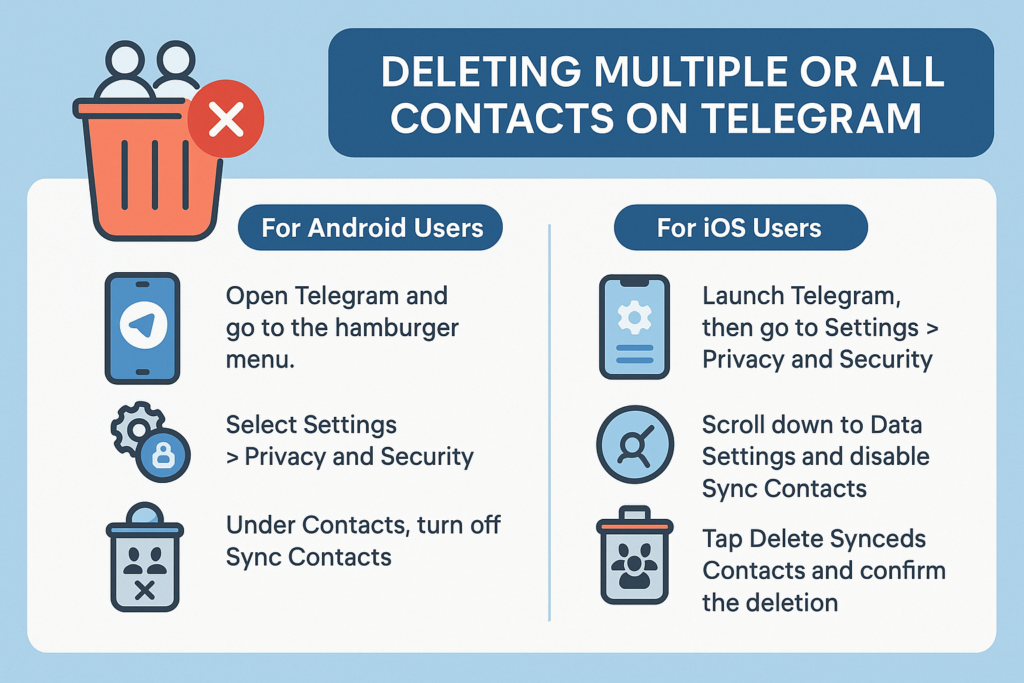
In case you wish to remove the contacts which you have added on telegram but want it to be deleted in bulk, there’s an option available that will assist you to do so. But keeping in mind this will only delete the contacts synced from your device to telegram and not the contacts backed up on the mobile device in use.
For Android Users:
- Open Telegram and go to the hamburger menu.
- Select Settings > Privacy and Security.
- Under Contacts, turn off Sync Contacts.
- Tap on Delete Synced Contacts and confirm the action.
For iOS Users:
- Launch Telegram, then go to Settings > Privacy and Security.
- Scroll down to Data Settings and disable Sync Contacts.
- Tap Delete Synced Contacts and confirm the deletion.
Disabling Contact Syncing for Future Use
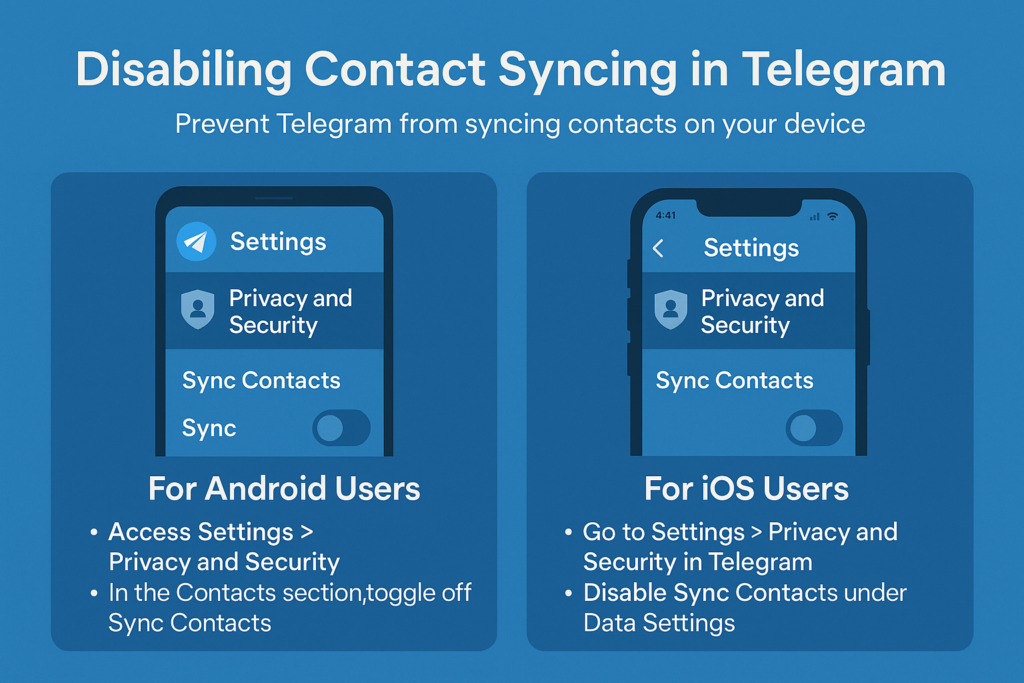
Disabling Contacts Syncing For Future Use In order to avoid Telegram from syncing contacts on your device in the future you can disable this feature altogether. This will enable you to add and manage contacts in the application and will ensure that there are no additional contacts added into your list through syncing automatically.
For Android Users:
- Open Telegram and access Settings > Privacy and Security.
- In the Contacts section, toggle off Sync Contacts.
For iOS Users:
- Go to Settings > Privacy and Security in Telegram.
- Disable Sync Contacts under Data Settings.
By disabling contact syncing, you have full control over your contact list without new additions unless you manually add them.
Sometimes it is necessary to drop certain contacts which does not take much time but can greatly help you in keeping your list clean. It can also improve your security. If you are going to go through these guidelines, then you should know how to add and remove contacts, how to limit specific additions, and how to regulate your messaging space. You might also want to periodically delete your contacts or adjust your privacy settings in order to enhance your Telegram experience and keep your account clean.
What’s the Difference Between Deleting and Blocking Contacts?
You should know the difference between blocking and deleting contacts on Telegram because it changes how you can talk to them. You can still get messages from people you’ve deleted from your Telegram contacts list, but they won’t be able to see your organized contacts list anymore. You can’t see the contact in your contacts anymore, but you can still see all of your past conversations in your chat list.
On the other hand, blocking a contact is a more complete step that stops all communication between you and the person you blocked. When you block someone on Telegram, they can’t message you, add you to groups, or see when you’re online. Blocked contacts won’t be able to see your profile pictures or when you were last online, and you won’t get any messages from them.
You can delete a contact if you want to clean up your list of contacts but still be able to talk to them. This is great for people you don’t see or talk to very often, like coworkers or friends. You can block someone if you don’t want to talk to them anymore, like a spam account, a harasser, or someone you don’t want to talk to anymore.
How to Prevent Contacts from Being Added to Telegram Automatically
You need to change some settings in your telegram account to stop automatic contact additions. This will give you full control over who shows up in your contact list. The first and most important thing to do, as we talked about before, is to turn off contact syncing. When you add someone new to your device, this stops telegram from automatically adding them to your phone’s contact list.
You can also change your privacy settings so that only certain people can see your phone number. Look for options in the “Privacy and Security” settings that say “Who can find me by phone number.” Change these settings to “My Contacts” or “Nobody” depending on how private you want to be. This stops people who might have your phone number from automatically seeing you on Telegram.
You might want to be more careful about which contacts you add to your phone if you haven’t already turned off syncing. Many people think it’s easier to keep their phone and telegram contacts separate. For instance, they add people to Telegram by using their usernames instead of syncing phone numbers. This way, you can keep your phone’s contact list separate from your telegram contacts and manage them in great detail.
Troubleshooting: What to Do When You Can’t Delete Contacts
Sometimes, users have trouble deleting telegram contacts. It can help to know how to fix these problems quickly. The most common problem is that apps are out of date. There may be bugs or features that aren’t there. Check to see if the latest version of your telegram app is installed on your device. This is because the features for managing contacts are always getting better.
Try closing and reopening the Telegram app if you still can’t delete a contact after updating. Close the app all the way and then open it again. Try once more to delete the file. When the app has temporary bugs, it can be hard to manage contacts. Restarting the app fixes these problems.
You might not be able to delete contacts if your network connection isn’t working right because the action needs to sync with Telegram’s servers. Check to see if your internet connection is stable, and then try deleting the file again. If the problems keep happening, try switching between Wi-Fi and mobile data to see if the network is the problem. You might have to log out of your Telegram account and then back in again to get your contact list to update and everything to work again, but this is very rare.


Related items

Telegram’s ad revenue sharing program has become a big way for channel owners and content

Effective community management depends on knowing how to become an administrator on telegr

With its great sticker capability, which lets users express themselves via imaginative vis