Article
How many channels can be created on Telegram?
How many Telegram channels can you create? Telegram does not publish a separate cap on the number of channels one account can create. Two other limits decide it in practice. A free account can reserve up to 10 public t.me links, and those links are shared between public channels and public groups; Telegram Premium raises that to 20. You can also be in up to 500 channels and groups in total, including the ones you own, or 1,000 with Premium. Private channels don't use a public link, so they only count toward that 500 (or 1,000) total.
Telegram is one of the most popular places to publish to an audience, so a lot of people end up running more than one channel: a main channel, a second one for a different language, a channel for customers or students. Before you open another one, it helps to know which limit you will hit first and what you can do about it.

What exactly is a Telegram channel?
A Telegram channel is a one-way broadcast: one or more admins post, and subscribers read. There is no reply thread inside the channel itself unless you connect a discussion group. A channel can have an unlimited number of subscribers, and it can have more than one admin, so the posting and moderation work can be shared. Anyone who joins later can scroll back and read everything that was posted before they joined.
How to create a Telegram channel
Creating a channel takes less than a minute on any device:
Android: tap the pencil icon at the bottom right of your chat list, then choose New Channel.
iPhone: tap the compose icon at the top right of the Chats screen, then choose New Channel.
Desktop: open the menu (☰) and choose New Channel.
Then add a name, a photo and a short description, choose whether the channel is public or private, and add your first subscribers from your contacts.
What is the difference between public and private channels?
A public channel has a username and a t.me link, so anyone can find it in Telegram search and join. A private channel has no public username; people can only join through an invite link the admins share, or by being added directly. This difference matters for limits: every public channel uses one of your public links, while a private channel does not.
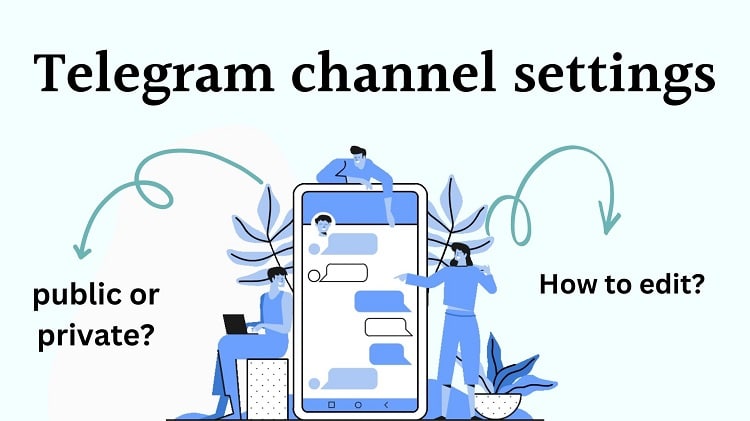
Telegram channel settings
When you create a channel you choose its type (public or private), then set its photo, description and privacy options. You can add up to 200 people yourself at the start; after that, new subscribers join through your link or by finding the channel. You can make up to 50 admins, bots included, and limit what each admin can do, for example whether they can post, edit other admins' posts or delete messages.
Telegram channel limits: free vs Premium
These are the limits that matter when you run several channels:
Limit | Free account | Telegram Premium |
|---|---|---|
Public links (public channels and public groups together) | 10 | 20 |
Channels and groups you can be in, including your own | 500 | 1,000 |
Accounts in one Telegram app | 3 | 4 |
Admins per channel (bots included) | 50 | 50 |
People you can add to a channel yourself | 200 | 200 |
Subscribers per channel | Unlimited | Unlimited |
Members per group | 200,000 | 200,000 |
Two more rules are worth knowing. Detailed channel statistics only appear once a channel passes a size threshold that Telegram sets on its side. And a channel with more than 1,000 subscribers can only be deleted from a device that has been logged in to your account for a few days, which protects large channels from being deleted from a stolen session.
How many public channels can I create?
Up to 10 on a free account and up to 20 with Telegram Premium. That number covers public groups as well, so 6 public channels and 4 public groups already use all 10 links on a free account. When you hit the limit, Telegram tells you that you have too many public links and offers to free one by making an older channel or group private.
How many private channels can I create?
Telegram doesn't publish a separate number for private channels. They don't use public links, so the limit you meet is the overall one: 500 channels and groups on a free account or 1,000 with Premium, counting everything you own and everything you have joined.
How many Telegram groups can I create?
Groups follow the same rules. A public group uses one of your 10 (or 20) public links, every group counts toward the 500 (or 1,000) total, and each group can hold up to 200,000 members. You can also be an admin of many groups that other people own; those count toward the same total.
What to do when you hit the limit
Make an old public channel private. It keeps its subscribers and posts, and its public link becomes free for a new channel.
Get Telegram Premium. It doubles the public link limit to 20 and the chat limit to 1,000.
Transfer ownership. You can hand a channel to another account (Telegram asks for two-step verification first) and stay on as an admin.
Use a second account. One Telegram app can hold up to 3 accounts, or 4 with Premium, each with its own limits.
Leave chats you no longer read. If the 500 total is the problem, leaving old channels and groups frees space immediately.
What are the benefits of having several Telegram channels?
Most admins run one or two main channels and add more as their work grows. A shop might keep one channel for product announcements and another for order updates; a teacher might run a public channel for free lessons and a private one for paying students. Separate channels let each audience get only the posts it cares about, and a smaller channel can send readers to the main one.
The downside is workload. Every channel needs regular posts, and a channel that goes quiet loses subscribers. If you can't keep several channels active, run fewer. If you do expand, add admins early so the work doesn't sit on one person.
How can I add 1,000 members to a Telegram channel?
You can add up to 200 people yourself; after that, every new subscriber has to join through your link or find the channel on their own. Getting to the first 1,000 usually comes from a mix of good content, sharing the link on your other social networks, talking with your readers, and paid options when you want to move faster.
Advertising on other Telegram channels
Cross-promotion with bigger or more active channels in your topic is one of the most effective ways to grow. You pay the channel owner to publish a post that links to your channel. There is no fixed price: it depends on the channel's size, views per post and how long the post stays up, so agree on those terms first. Before you pay, subscribe to the channel for a few days and check that its views look real.
Buy Telegram members
Another option for a new channel is to buy Telegram members. Many admins use it to get past the empty-channel stage, because a channel with a few hundred subscribers looks more worth joining than one with twenty. Be clear about what it does: bought members raise the number visitors see, but they don't read, react or comment. Use them as a starting base and let your content and promotion do the rest.

Conclusion
There is no fixed limit on how many Telegram channels you create. What you will run into is the public link limit, 10 on a free account and 20 with Premium and shared with public groups, and the total of 500 (or 1,000) channels and groups you can be in. Private channels avoid the first limit, Premium doubles both, and turning an old public channel private is the quickest way to free a link.
If you're looking to grow your Telegram channels faster, tools like a Telegram Followers Bot or a Telegram Member Bot can be incredibly helpful. These bots simplify the process of gaining new members and followers, allowing you to focus on creating quality content while boosting your channel's reach and engagement effortlessly.
FAQ
What is the maximum number of public channels on one Telegram account?
How many Telegram channels can I create on one account?
Does Telegram Premium increase the channel limit?
Can I manage multiple Telegram channels at the same time?
How many people can I add to a new Telegram channel?
How can I grow my Telegram channel after creating it?
Related articles
How to Run Multiple Telegram Accounts on One Device: Complete Guide to Managing Multiple Telegram Accounts

Buy Views For Telegram Channel

Buy Telegram Channel Views

Boost Telegram Channel
How can I get Telegram Member (For channel and group)?

How to Add Members to Telegram Channel in 2025 – Complete Guide
Comments
No comments yet. Be the first to share your thoughts.