The world of telegram groups and channels is so big that it can be hard to find your way around. But this complete guide will help you become an expert at finding new telegram channels and groups. If you want to meet people who share your interests, stay up to date on your favorite topics, or grow your professional network, you need to know how to find and join telegram communities in today’s digital world. This article gives you tried-and-true methods, insider tips, and step-by-step directions to help you find the telegram groups and channels that are most useful for your interests and goals.
What Are Telegram Groups and Channels?

You need to know the main difference between a channel and a group in order to use Telegram. A telegram channel lets you send messages to a lot of people at once. It’s great for news updates, announcements, and sharing content because only admins can post messages. These telegram channels can have as many people following them as they want, and they’re great for talking to people without them talking back. Telegram groups, on the other hand, are chat rooms where everyone can talk, share content, and interact with each other by taking part in the chat.
It’s important to know the difference if you want to join a telegram group because the level of participation will be very different. Channels send you updates and information without you having to do anything. Groups, on the other hand, let you join discussions and get to know other members. If someone joins a telegram group or channel, the level of interaction they have will be different.
In the world of Telegram, channels and groups each have their own purposes. Public channels are great for sharing curated content with a lot of people, and public groups are great for making friends and talking to people who like the same things you do in real time.
How to Find Telegram Groups Using Built-in Search?
The telegram app has a very powerful search function that you can use to find things. To use this feature, open the Telegram app and tap the search icon, which is usually at the top of your screen. You can type in words that are related to your interests in the search bar, and telegram search will give you a list of public groups or channels that match your query through its extensive search results.
When you use the built-in search, think carefully about the words you use to get the best results. Instead of using general phrases, use ones that are specific to your interests. If you type “cryptocurrency trading” into a search engine, you’ll get better results than if you just type “crypto.” The search function looks through usernames, group and channel names, and descriptions to give you a full list of results that show up in search results.
The search results show both telegram groups and channels, along with important details like how many people are in each group or channel. This helps you figure out which communities might be worth joining. Remember that you won’t be able to find private channel or group communities in search results because you need an invitation link to join. When you search inside Telegram, you can only find public groups and channels.
Where to Find Telegram Channels Outside the App?
In addition to the app’s built-in search tools, there are a lot of other places you can go to find telegram channels and groups. It is easier to find what you want on third-party directory sites like telegramchannels.me, which collect thousands of public telegram groups and channels from different categories. These sites have a complete list of groups and channels that are organized by subject and how popular they are.
You might be surprised by how well Google and other search engines can help you find telegram channels and groups. If you want to see curated lists and suggestions from other users, try searching for “best telegram groups for photography” or “telegram channels for news updates.” There are many websites that have full lists of channels that are sorted by topic, language, and number of subscribers. When you look for things on the internet, you can often find direct links to groups you might want to join.
On social media and in forums, people often talk about popular telegram channels and groups. Reddit, Facebook, and specialized forums often post direct links and suggestions for good telegram communities. This way, you can see what other people have done and find groups that real telegram users who are active in these areas have looked at.
What Are the Best Methods to Search for Telegram Groups?
You need to use different strategies to get the best results from your searches. To find telegram communities that interest you the most, use specific, niche-focused keywords instead of general ones. Instead of just looking for “cooking,” try “vegan cooking recipes” to find groups that are more specific. When you search for telegram groups, it’s better to use specific words than general ones.
To find a username on Telegram, type @ and then a list of possible usernames. A lot of popular channels and groups use naming rules that are easy to guess. This means that trying out different combinations can lead to some interesting discoveries. You should also look at the pinned messages and descriptions of related channels, because they often have suggestions for other communities that are like them. To find groups that talk about things you’re interested in, type in the names of those things.
Cross-platform discovery is all about using search engines and social media sites other than Telegram to find Telegram communities. Many channels and groups have accounts on other sites where they share their t.me links so that people can easily find them. This method helps you find groups that might not show up high in telegram’s internal search results but have users who are active and use telegram to talk to each other.
How Do You Join a Telegram Group or Channel?
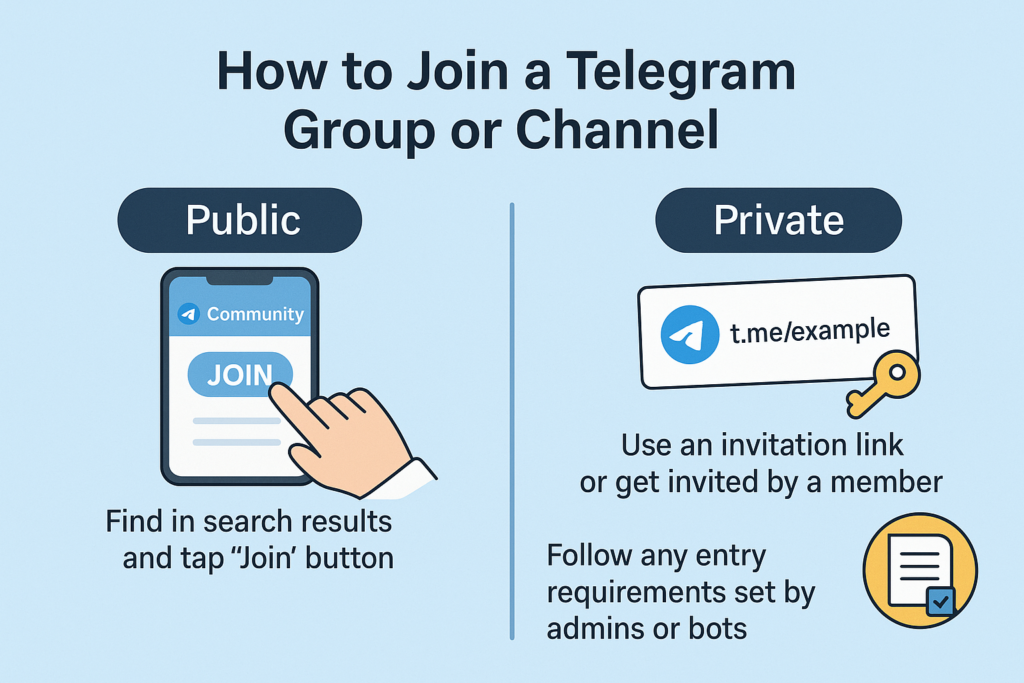
It depends on whether the telegram group is public or private how to join it. To join a public group or channel, just click on the name of the community in the search results and then click the “Join” button. Once you sign up for the Telegram app, you’ll be added to the community and start getting updates or being able to join group chats. This is the easiest way to join a group when the channel is open to everyone.
You need an invitation link or an invitation from someone who is already a member to join a private community. If someone sends you an invitation link, clicking on it will open the Telegram app and show you how to join. Most of the time, the first part of these links is “t.me/” and then the name of the channel or group. It’s easy to see that these are a direct link to the community.
Admins or bots keep track of the rules for who can join some communities and how they are screened. Some of these are answering questions, agreeing to the community’s rules, or waiting for the admin to say it’s okay. If you want to join a telegram group, be sure to read the channel or group description carefully to see if there are any rules you need to follow. The channel’s owner or owners may have some rules that new members must follow.
What Should You Know About Public vs Private Telegram Communities?
Anyone who uses Telegram can easily find public groups and channels because they are open to everyone and show up in search results. Most of the time, these groups talk about a lot of different things and let anyone join without any rules. Public communities can have anywhere from dozens to millions of subscribers, depending on the topic and quality of the content. You can see and talk about everything right away when you join a public group.
To join a private community, you need an invitation link or permission from an admin. A private channel could be for a specific group of professionals, talk about sensitive issues, or offer premium content. These telegram groups are selective, so people are more likely to participate and the conversations are more focused. To keep the conversations good, some closed groups only let certain people join.
Knowing whether a channel is public or private can help you know what to expect when it comes to access and participation. You can join public communities right away, but they may not be as well run. On the other hand, private communities offer curated experiences, but it’s harder to get in through the right channels. Some channels don’t show up in public searches on purpose to keep them private.
How Can You Verify the Quality of Telegram Groups Before Joining?
Check out a few important things before you join a community to make sure it fits your needs and interests. Find out how many people live in the area or subscribe to it. This can show how busy and popular the community is. But don’t always believe that bigger groups are better. Interactions are sometimes better in smaller, more focused groups. The owner of the channel usually has standards for quality that show in how much people participate.
Check out the most recent posts to see how much activity and interaction there has been. Communities that are active and have regular, meaningful conversations are usually more valuable than ones that aren’t active and only post once in a while. Instead of just passively consuming content, look for communities where people are actively involved. A good telegram user interacts with the content and other users in a way that matters.
Read the description, the rules, and any pinned messages to find out what the group wants to do and how to do it. Communities that are well-run have clear rules, active moderation, and goals that match what you want. The channel admin usually puts important information in pinned messages that explain the rules and what the community expects from its members.
What Are the Common Challenges When Finding Telegram Communities?
A lot of great communities don’t show up in search results because they are private or have limited how easy it is to find them. Some channel admins hide their channels so that only a few people can see them or to keep spam out. This makes it harder to find these groups using normal search methods. This means that people still have a hard time finding some great telegram groups.
It can be harder to find things when you don’t speak the same language, especially when you’re looking for international communities. Many telegram groups and channels use languages other than English, and their names might not show up well in search results. Because of this limit, you’ll need to be more creative with the words you use to search and maybe even learn some basic words in other languages to find communities that are right for you.
A lot of the time, search results show communities that aren’t active or up to date anymore, which is a waste of time and effort. Some channels or groups may have a lot of subscribers, but they haven’t been active in a while, which means that they are basically dead communities. Before you join a telegram group, check to see how active the most recent members are. This will help you make sure you are spending time in places that are active and interesting. There are too many groups to choose from if you don’t filter them correctly.
How to Use Third-Party Tools and Directories Effectively?
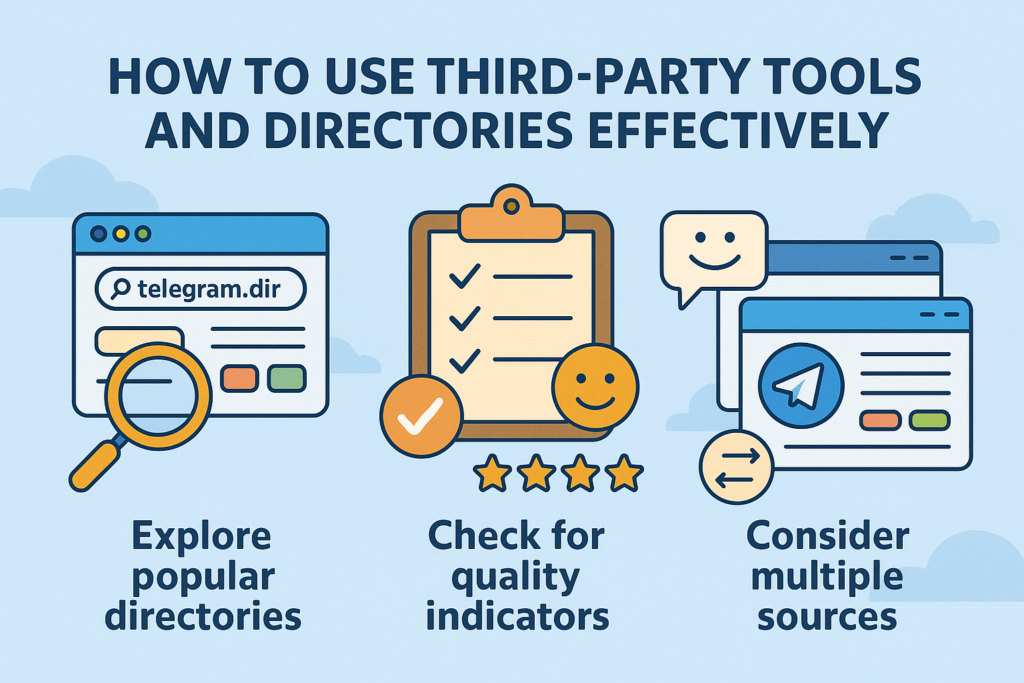
You can easily find thousands of telegram groups on directory websites. These groups are sorted by topic, language, and level of activity. Most of the time, these sites have user reviews, descriptions, and signs of recent activity that can help you choose which telegram groups to join. You can find telegram groups and channels in popular directories because they keep their lists up to date and remove groups that aren’t active or aren’t very good.
If you use external directories, make sure to look at the date of the last update and any reviews or ratings from other users, if they are available. Some directories let people add their own communities, which can change the quality of the communities. Look for directories with moderation systems and ways to check the quality of the content to make sure you’re joining real, active communities. Look for directories that are updated often and have active community management to find good ones.
Look at more than one directory to get a complete picture of the communities that are available in the areas that interest you. It’s a good idea to look at more than one directory because they may have different groups or channels. This way, you won’t miss any important communities that are only listed on some sites. This method helps you find groups that are a good match for your interests and the way you like to take part.
What Are the Best Practices for Managing Your Telegram Subscriptions?
To have fun on Telegram, you need to keep things organized when you join a lot of groups and channels. You can use Telegram’s folder feature to sort your subscriptions by topic, priority, or how active they are. This organization keeps you focused on the most important communities by not sending you notifications from less important channels all the time. When groups that talk about the same things are put together, it’s easier to find them.
Look at your subscriptions often and get rid of any communities that aren’t active or useful anymore. Some communities may not be useful to you anymore as your interests change. If you get rid of them, your interface will be less cluttered and you’ll get fewer notifications. Don’t be afraid to leave a telegram group if you don’t find it useful or interesting anymore. You might have to leave a Telegram group to make room for a new one that fits your needs better right now.
Set different notification settings for different types of communities to make sure that information keeps flowing. You might want to get alerts right away from news channels that are professional or urgent, but you could mute entertainment or casual discussion groups so you can check them when you want. You can control notifications on Telegram so that you can stay up to date on important news without being bothered by less important chat messages all the time.
Telegram’s advanced search tools do more than just find keywords. You can get better results when you search telegram by using advanced operators and filters. You can look for messages from specific users, filter by media type, and even look for messages that were sent during certain times on the platform. These features are very useful when you want to find telegram groups and channels that meet very specific needs.
If you know how to search in Telegram the right way, you can save a lot of time and effort. With the built-in search function, you can narrow down the results by message type, date range, and even file type. This is especially helpful if you want to find groups that share certain types of content or if you want to see how active a group is before you join it on Telegram.
Bot integration can help advanced users get better at searching. Some specialized bots can help you find communities that meet certain criteria and even keep an eye on new ones as they come up. These tools work with the regular search function to help you find telegram groups and channels that might be hard to find in other ways.
Key Takeaways: Essential Points to Remember
• The search bar in the telegram app is the main way to find public groups and channels, but using specific keywords instead of general ones will give you better results.
• External directories like telegramchannels.me and search engines give you access to communities that might not show up in Telegram’s own search, which greatly increases your options for finding new ones.
• Knowing the difference between groups (where people can talk to each other) and channels (where content is broadcasted) will help you find communities that fit your interests.
• You need an invitation link or admin approval to join a private community, but you can join a public community right away by searching for it in Telegram.
• Before joining, you should check the recent activity levels, member engagement, and community guidelines that the channel admins manage to make sure they match your interests.
• Third-party directory websites give you organized, categorized access to thousands of telegram communities, along with user ratings and activity indicators to help you find telegram groups and channels.
• Managing your subscriptions regularly through folders, audits, and custom notifications keeps things from getting too much when you join multiple telegram communities.
• Using social media, forums, and web searches to find communities on different platforms often leads to high-quality ones that active Telegram users recommend.
• Checking the quality of a community means looking at the number of subscribers, how often people post messages, how well the channel administrator moderates, and how well the community’s goals are met.
• Using keywords strategically, searching for usernames, and looking at pinned messages for community recommendations that are related to your interests increase your chances of finding active telegram groups and channels that are relevant to your interests and give you meaningful ways to join a group or channel that fit your needs and preferences.


Related items

We have designed an exceptional bot for you that allows you to simultaneously place automa

As we move into 2025, the world of digital communication has changed a lot, with more peop

Telegram has become one of the most powerful platforms for building engaged communities an