Article
Telegram Communities: Complete Guide (2026)
Telegram Communities: Complete Guide (2026)
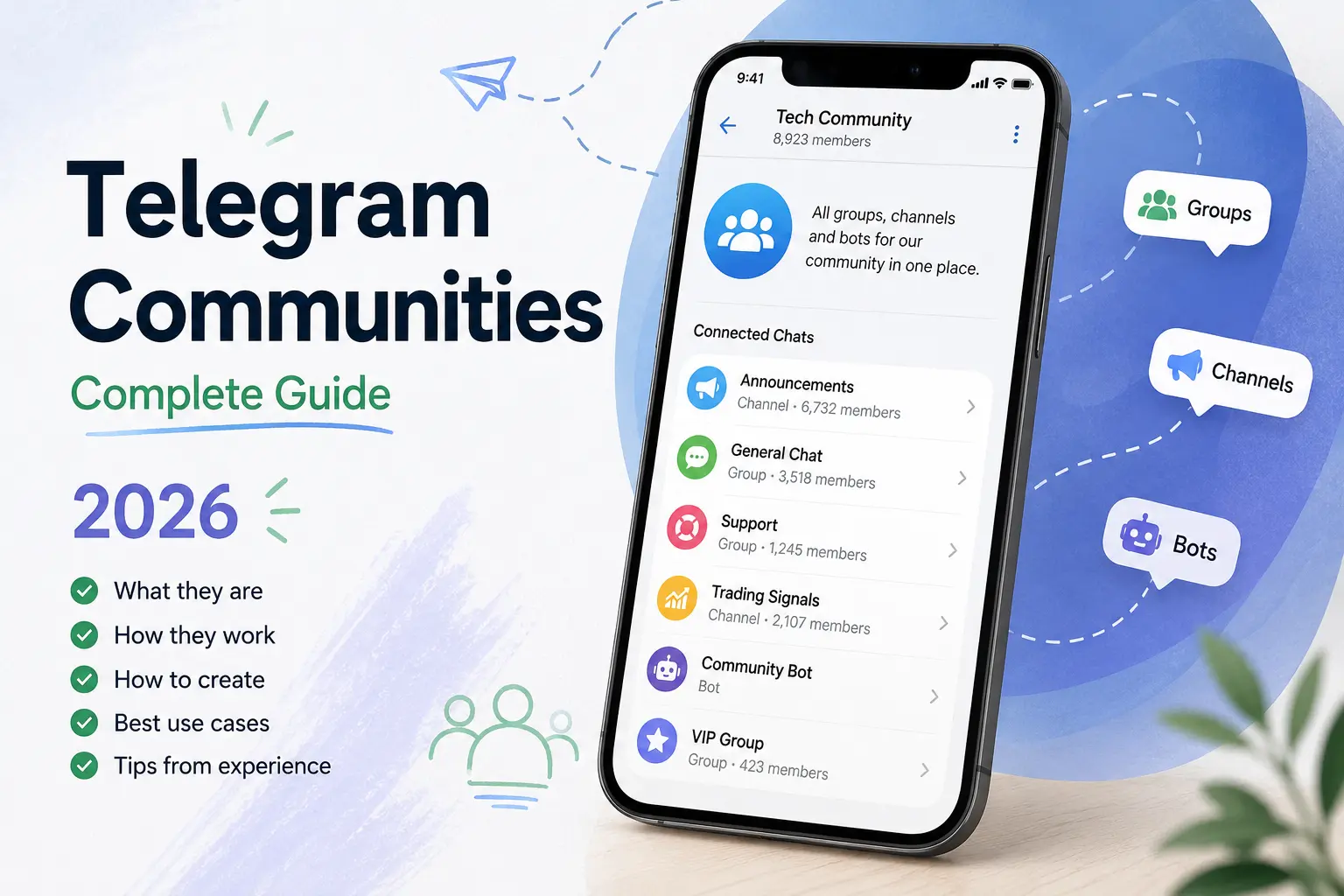
When the July update dropped, I skimmed the changelog on my phone and assumed Telegram Communities were shared folders with a new name. We already had folders. We already had Topics. What was left to organize?
Then I spent two evenings rearranging my own chats and realized I'd misread the whole thing.
Communities aren't a better folder. A folder is something you build for yourself — nobody else sees it. A Community is something you build for your members, and they see it too. That distinction sounds small written down. In practice it removes an entire category of admin work I'd been doing manually for years.
This guide covers what Telegram Communities actually are, what Telegram has documented, what it hasn't, and how I'd structure one today.
What Are Telegram Communities?
A Community links several groups, channels, and bots together around a shared topic, so the people inside can see the other chats and join them instantly.
That's it. That's the feature.
The part worth sitting with is what a Community isn't. It isn't a chat. You can't post in it. There's no community-wide feed, no shared history, no unified inbox.
Think of it as a membership-aware directory sitting above chats you already run. Your announcement channel stays an announcement channel. Your support group stays a support group. The Community is the connective tissue between them — plus a visibility layer deciding who's allowed to know each chat exists.
Two mechanics do most of the work:
Joining without invite links. Once someone is inside your Community, they can jump into the other chats directly. No link. No "DM me for the VIP group." No admin approval bottleneck (unless you've set one on that specific chat).
Collapsing your chat list. You can toggle whether a Community shows up as separate chats or as one row that expands when you tap it. Nine chats become one line. If you're a member of three or four active projects, this alone is worth the update.
Telegram published the feature on July 14, 2026, alongside the Rich Text Editor and ephemeral bot messages. You can read the original announcement here — it's four bullet points long, which tells you something about how much interpretation is left to us.
Why Telegram Introduced Communities
Honestly, this feature exists because of pinned messages.
Every serious Telegram project I've ever run had the same pinned message. You know the one. A list of links: main channel here, discussion group here, support here, our bot here, the announcements-only channel here because some of you complained about noise. You update it. Someone joins two months later, never scrolls up, never sees it, and asks in the main group where the support chat is. You paste the link again. Repeat forever.
That pinned-link-soup was a workaround for a structural gap, and Telegram finally closed it.
The second problem is uglier. Invite links are a security hole — they go stale, get forwarded into random chats, and scammers clone your setup and circulate near-identical links to fake versions of your groups. I've had members join a copy of my own support group and get drained by someone pretending to be me. When joining happens inside the Community instead of through a pasted URL, that attack surface shrinks considerably.
And third: clutter. A project with a channel, a discussion group, a VIP group, a support group and two bots occupies six rows in a member's chat list, competing for attention against their family group and their boss. Collapsing that to one row makes your project feel like one thing instead of six notifications.
None of this is glamorous. It's plumbing. But plumbing is what large communities actually break on.
How Telegram Communities Work
Creating a Community
You don't create a Community from scratch and then fill it. You start from a chat you already own and link others to it. The Community forms around your existing chats rather than replacing them — nothing migrates, no history moves, no member lists merge.
One detail I'd flag: Telegram's Bot API describes Communities as linking supergroups, channels and bots. Basic groups aren't mentioned. Basic groups convert to supergroups automatically once they hit 200 members, and you can convert manually before that. If a small group of yours refuses to link, that's the first thing I'd check.
Adding Groups
Groups are what most people add first, and adding all of them is usually the wrong instinct. More on that later.
The mechanic is simple: link a group you administer, then decide whether it's visible to every Community member or hidden. Anyone who joins becomes a normal member of that group — which keeps its own admins, permissions, slow mode and ban list. Linking hands nobody new powers over it.
Adding Channels
Channels benefit the most, in my opinion, and it's the least obvious use.
Broadcast channels have always had a discovery problem: someone finds your discussion group through a friend, chats there for weeks, and never subscribes to the actual channel where you post the important stuff. Now the channel is sitting one tap away, permanently, with no pinned link required.
I'd put your announcement channel in every Community you build. It's the one chat where passive members still get value.
Adding Bots
This is the piece I underestimated.
Linking a bot makes it discoverable to everyone inside instead of buried in a pinned message. Pair that with two other things Telegram shipped this year — guest bot mode in May, letting bots respond inside chats they aren't members of, and ephemeral bot messages in this same July update, where a bot replies only to the person who asked — and the picture gets interesting.
A support bot that answers privately, inside a busy group, without spamming 400 other people, and that new members can find without asking? That's a different support experience than what we had in 2024. The Community is what makes people aware the bot exists at all.
Telegram Community vs Telegram Group
People keep asking whether a Community replaces their group. It doesn't. They're different layers.
Telegram Group | Telegram Community | |
|---|---|---|
What it is | A chat where people talk | A container linking multiple chats together |
Can you post in it? | Yes | No — it holds chats, it isn't one |
Structure | Flat, optionally split with Topics | Several independent chats, each with its own setup |
Membership | One member list | Separate membership per chat; joining the Community isn't joining everything |
Permissions | One admin set, one permission table | Each chat keeps its own admins; Community admins control the Community layer |
Navigation | Scroll, search, pinned messages, Topics | Browse the chat list of the Community, join what you want |
Discovery for members | You share links manually | Chats are listed inside; no invite link needed |
Chat list footprint | One row | One row for the whole set, or expanded — your member chooses |
Scalability | Great to ~200k members in one room | Better when you need many rooms with different rules |
Best for | A single conversation space | A project running several chats at once |
Topics still win when all your conversation belongs in one room and you just want threads. Everyone stays in one member list, moderation is one job, and activity concentrates. Splitting a 2,000-member group into five chats inside a Community usually kills the energy in all five.
Communities win when your chats genuinely have different rules — a public channel, a paid VIP group, a support desk, a bot. Those can't be Topics, because they need different permissions and different member lists.
Telegram Community vs Discord Server
The comparison everyone jumps to, and it's only half accurate.
A Discord server is one container. One membership, one role system, one permission matrix, one moderation queue. You join the server, then roles decide which channels you can see. Ban someone and they're gone from everything.
A Telegram Community is a federation, not a container. Each chat inside stays a fully independent object with its own members, its own admins, its own bans. You don't "join the Community" and then get filtered into rooms — you discover chats and join them one by one.
Genuinely similar: one place to find every chat, hidden spaces only certain people see, bots as first-class citizens, and the whole thing collapsing into a single sidebar entry.
What Discord still does that Telegram doesn't: roles — Discord's role system is the product, and Telegram has no equivalent at the Community level. Server-wide bans aren't documented either, so you moderate per chat. And there's no always-on voice room to drop into; Telegram's video chats live inside groups and aren't the same thing.
What Telegram does that Discord doesn't: a mobile experience that actually works, channels that reach every subscriber with no algorithm, 200,000 members in one group, and bots operating at Telegram's scale — including inside chats they don't belong to.
If I'm being practical: Discord is a building with rooms. A Telegram Community is a street with several shops on it. Only one of them works well when your audience is on a $90 Android phone in Tehran, Lagos, or São Paulo.
How to Create a Telegram Community
Telegram hasn't published a step-by-step help page yet, and menu wording shifts between iOS, Android and Desktop builds. Here's the flow, described so it survives a UI change.
1. Update your app first. Communities landed in Telegram Desktop 7.0 and the matching mobile builds in mid-July 2026. Older clients won't show the option at all. If you don't see it, this is why 90% of the time.
2. Start from your anchor chat. Pick the true center of your project — usually your main channel. Open its profile and look for the Community option in settings. Everything else attaches to this.
3. Name it like a project, not a chat. "CryptoSignals Pro" beats "CryptoSignals Pro — Main Channel (Official) 🔥". That name is what members see as one row in their chat list.
4. Link chats one at a time, and stop early. You need admin rights in whatever you're linking. Add your three or four most important chats, then leave it for a week and watch what people actually open.
5. Set visibility per chat. Visible or Hidden — decide deliberately for each one. Default assumptions will bite you here.
6. Lock down who can add chats. The single most important setting, and it defaults in the wrong direction for most projects. Details below.
7. Tell your members it exists. People skip this. Post once in your main channel explaining that everything now lives in one place. Otherwise half your audience never notices.
A practical note: two Telegram Desktop patches after launch touched Communities specifically — one to allow forwarding into hidden chats, one to fix adding admins. The feature is stable, but it's three weeks old. Expect small behavior changes and don't build a paid product around an undocumented edge case just yet.
Community Permissions Explained
This section matters more than the setup steps, so read it twice if you're running anything with money in it.
Visible and hidden chats
Every chat in a Community is either Visible to all Community members, or Hidden from everyone except Community admins and the members of that specific chat.
Hidden is how you run a VIP tier without advertising it. Your paying members see their group. Everyone else doesn't know it's there. Nobody DMs you asking how to get in, because they have no idea there's an "in."
The flip side is a real design question: hidden chats also hide value. Sometimes you want free members to see a locked door. My take is that Hidden fits anything sensitive — moderator coordination, internal team chats, financial exposure — while Visible is often better for paid tiers, precisely because visible-but-restricted creates demand.
Who can add chats
Communities are collaborative by default. Any member can add more chats to your Community.
Read that again if you run a large public project.
You can restrict this in settings, and when you do, member additions become suggestions you approve instead. I turned it off within ten minutes of setting up my first Community. On a public crypto-adjacent project, leaving it open means someone eventually links a chat you'd rather not be associated with, and your Community becomes the thing that legitimizes it in front of your own audience.
Small team or hobby project? Leave it collaborative — people surface chats you didn't know existed. Anything public, commercial, or reputation-sensitive? Restrict it on day one.
Admin roles
Telegram's announcement refers to Community admins as a distinct group who can see hidden chats, but no full permission matrix for the Community layer has been published. What's clear is that per-chat admin rights are unchanged — being a Community admin doesn't make you a moderator of every chat inside it, and administering one linked group gives you nothing over the Community.
I'd treat Community admin as a trust position on par with channel owner, not a moderator badge you hand out.
What members can do
Members browse visible chats, join freely, and leave a chat without leaving the Community. There's no "join everything" button, which I think is correct — forced subscriptions would have turned this into a spam vector within a week.
Best Ways to Organize a Telegram Community
Structure is where most people go wrong, so here are patterns I'd actually deploy.
Crypto or trading project
📢 Announcements — channel, visible, read-only
💬 Main Chat — group, visible, where the community lives
📊 Signals — channel, visible but restricted entry (creates demand)
💎 VIP — group, hidden for paying members only
🛟 Support — group, visible
🤖 Bot — visible, handles verification and FAQs
SaaS or business
Product Updates — channel
Community Chat — group
Feature Requests — group with Topics inside
Support — group plus your ticketing bot
Status — a low-traffic channel that only posts when something breaks
That last one sounds trivial and it's the most appreciated chat I've ever run. People mute everything else and keep status notifications on.
Online course
Announcements channel, Q&A group, one hidden group per cohort, a resources channel used as a searchable archive, and an assignment bot.
The pattern underneath all three: one broadcast source, one general conversation, one restricted space, one support path. Four chats. If your structure needs a legend to explain it, you've overbuilt it.
Best Use Cases
Communities pay off when you're already running multiple chats. One group and one channel? This saves you a pinned message and not much else.
Where it earns its keep:
Crypto and Web3 projects, which have run pinned link lists as core UX for a decade
SaaS and startups separating updates, feedback and support
Online courses, where cohort isolation is the entire product
Gaming clans and guilds, with per-squad chats plus a general hangout
News outlets running language- or topic-specific channels
Creators who monetize a tier and need free and paid layers to coexist visibly
Local communities — city groups, university networks, professional associations
Where I wouldn't bother: a single active group under a few thousand members. Use Topics. Splitting a healthy room into a Community of quiet rooms is the fastest way to make a lively project feel dead.
Pros and Cons
What works | What doesn't (yet) |
|---|---|
Members find every chat without asking | No community-wide roles like Discord |
No invite links means fewer clone scams | No documented cross-chat ban or moderation |
One row in the chat list instead of eight | No community-level analytics |
Hidden chats give real privacy control | Bot API support is explicitly "initial" |
Bots become discoverable | No public directory for finding Communities |
Nothing migrates — zero-risk to set up | Chat data appears tied to one Community at a time |
Channel subscriptions rise via proximity | Fragmentation risk if you over-structure |
Free, no Premium requirement | Documentation is a four-bullet blog post |
One limitation deserves elaboration: discovery. Communities help people navigate once they're already inside your ecosystem. They do nothing to bring new people in — there's no Community search, no browse tab, no directory. If nobody knows your project exists, a beautifully organized Community changes nothing.
Common Mistakes
Adding every chat you own. Your 2019 archive group does not belong here. A Community with fourteen chats is a maze, and mazes make people leave.
Leaving "anyone can add chats" enabled on a public project. Covered above, but it's the mistake with the worst downside.
Hiding your paid tier by reflex. Hidden is for sensitive chats. Restricted-but-visible is usually better for anything you're selling.
Splitting an active group. Engagement doesn't divide evenly across new rooms — it collapses. One room with 300 messages a day beats five rooms with 60.
Assuming this replaces moderation. It's a navigation layer. Every group still needs its own admins and anti-spam setup, and easier joining means more traffic hitting your moderators, not less.
Announcing nothing. Members don't audit your settings. If you don't tell them, most won't find it.
Building for the structure you want in a year instead of the traffic you have this month.
Tips From My Experience
Since the update landed, a few things surprised me enough to write down.
Order matters more than I expected. Members open the first two or three chats and ignore the rest. Put your highest-value chat first, not your biggest one. Those are frequently different chats.
Emoji prefixes work. I resisted this for years because it looks like Discord cosplay. I was wrong. In a scannable list, 📢 and 💬 and 🛟 do real work, especially for members reading in a second language.
Audit after two weeks. Find the linked chats with zero new joins and unlink them. An empty room inside your Community signals neglect louder than not having the room at all.
Your support chat gets busier. Removing the "where do I ask?" friction means more people ask. That's the feature working — staff accordingly.
Test it from a second account. Join your own Community as a nobody and try to reach every chat you intended them to reach. I caught a permission mismatch this way. Ten minutes, worth it every time.
Can Telegram Communities Help Grow Your Audience?
Partly — and it's important to be precise about which part.
Communities improve retention and depth, not acquisition. Someone who joins your discussion group and then discovers your channel, your support chat and your bot is far more likely to still be around in three months. Every additional chat a member joins is another thread tying them to your project.
What Communities don't do is generate that first member.
And this is where new projects hit a wall I've watched dozens of people hit. You build a clean five-chat Community. It's genuinely well organized. Then someone arrives, sees 12 members and no messages since Tuesday, and leaves without posting — not because the structure is bad, but because empty rooms feel abandoned. People join conversations, not architecture.
That early-stage vacuum is a real problem, and it's why the market for Telegram growth services exists at all. If you're weighing that route, it's worth understanding the mechanics properly before spending anything — what actually happens to a channel when members are added, how retention behaves afterward, and why a member count and an active audience are two very different assets. This Telegram members guide walks through how it works in practice.
The honest version, from someone who's watched a lot of channels try this: raw member count is social proof, not engagement. It can help a new project clear the "is this thing dead?" test that stops real people from posting. It cannot manufacture a conversation. If you're going to grow your Telegram community this way, treat it as one input into a launch, sitting next to real content, real posting cadence, and real reasons to stay — not as a substitute for them.
A Community structure amplifies whatever's already happening inside it. Amplifying zero still gives you zero.
Frequently Asked Questions
Are Telegram Communities free? Yes, no Premium subscription needed. The Rich Text Editor from the same July update is Premium-only, which is where the confusion comes from.
Can I still use Topics inside a group in a Community? Yes. They work at different levels — Topics split one group into threads, Communities link separate chats. Many good setups use both.
Do members automatically join every chat? No. They see what's visible and choose. Joining is always per chat.
Can a chat belong to more than one Community? Telegram hasn't stated this explicitly. The Bot API exposes a single "community" field on a chat, which reads like one Community per chat — but treat that as a strong hint rather than confirmed policy until Telegram documents it.
How many chats can a Community hold? No official limit has been published. Practically, anything past six or seven becomes hard for members to navigate.
Does linking a chat merge member lists? No. Each chat keeps its own members, admins, permissions and bans. Nothing merges. You can unlink later too, though removal generates a service message in the chat rather than happening silently.
Are Communities discoverable in Telegram search? Not through any documented mechanism. Individual public chats stay searchable as always, but there's no Community directory.
Do Communities work on Telegram Desktop? Yes, from version 7.0 onward, and on current mobile builds. Older clients need updating first.
Can I ban someone from the entire Community at once? Not through anything Telegram has documented. Bans remain per chat. This is the biggest gap versus Discord.
Will a Community increase my channel subscribers? It can, by proximity — group members discover the channel without a link. It won't bring in people who've never heard of you.
Do bots need special permissions to be added? You need the appropriate rights over what you're linking. Bot developers should note that Bot API 10.2 added a Community object plus service messages for chats being added and removed.
Is it worth setting up if I only have one group? Not really. Come back when you have three chats and a pinned link list.
Final Thoughts
I like this feature more than I expected to, and for a boring reason: it removes work I was doing manually and never enjoyed.
What I keep turning over is what Telegram didn't ship. There's no role system. No cross-chat moderation. No analytics at the Community level. The API support is labeled "initial." Every one of those absences reads to me like a roadmap rather than an oversight — and the Bot API additions in particular suggest Telegram intends developers to build on top of this rather than treating it as a finished UI feature.
If I had to guess: cross-chat moderation comes next, because that's the operational pain that scales worst. Community-level analytics would follow. Some form of discovery seems likely eventually, though Telegram has always been wary of anything resembling an algorithmic directory, and I'd be surprised if they built one soon.
Don't read too much into that. Telegram ships what Telegram ships, usually without warning, occasionally in a blog post that opens with a joke about cults.
What I'd do today: set one up for your main project, keep it to four chats, restrict who can add more, and check back in two weeks. Twenty minutes, and it can't break anything — nothing migrates and nothing merges. Worst case you unlink everything and you're back where you started.
Best case, you never post that pinned link list again.
Ready to grow on Telegram?
Launch a focused campaign with clean tracking and SEO-friendly content.
Related articles
The Ultimate Way to Add Members to Your Telegram Group and Channel: Proven Strategies for Growing Your Community

How to Create a Telegram Group: Your Complete Guide to Building Communities and Managing Group Chat

Telegram Engagement Playbook 2025: From Spike Views to a Loyal, Revenue-Generating Community
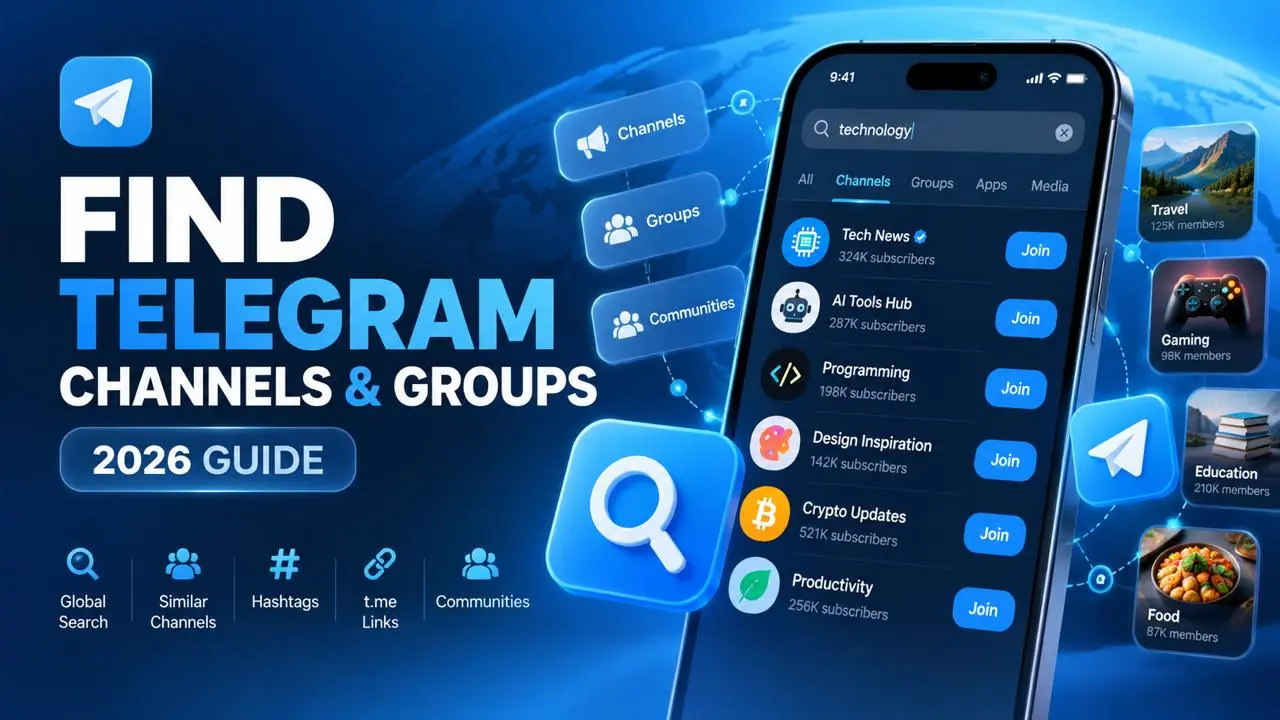
How to Find and Join Telegram Groups and Channels in 2026
Every method I use in 2026 to find active Telegram groups and channels: Global Search, Similar Channels, the C…

Buy Telegram views

How can I get Telegram subscribers?
Comments
No comments yet. Be the first to share your thoughts.